Maryland Business Entity Search
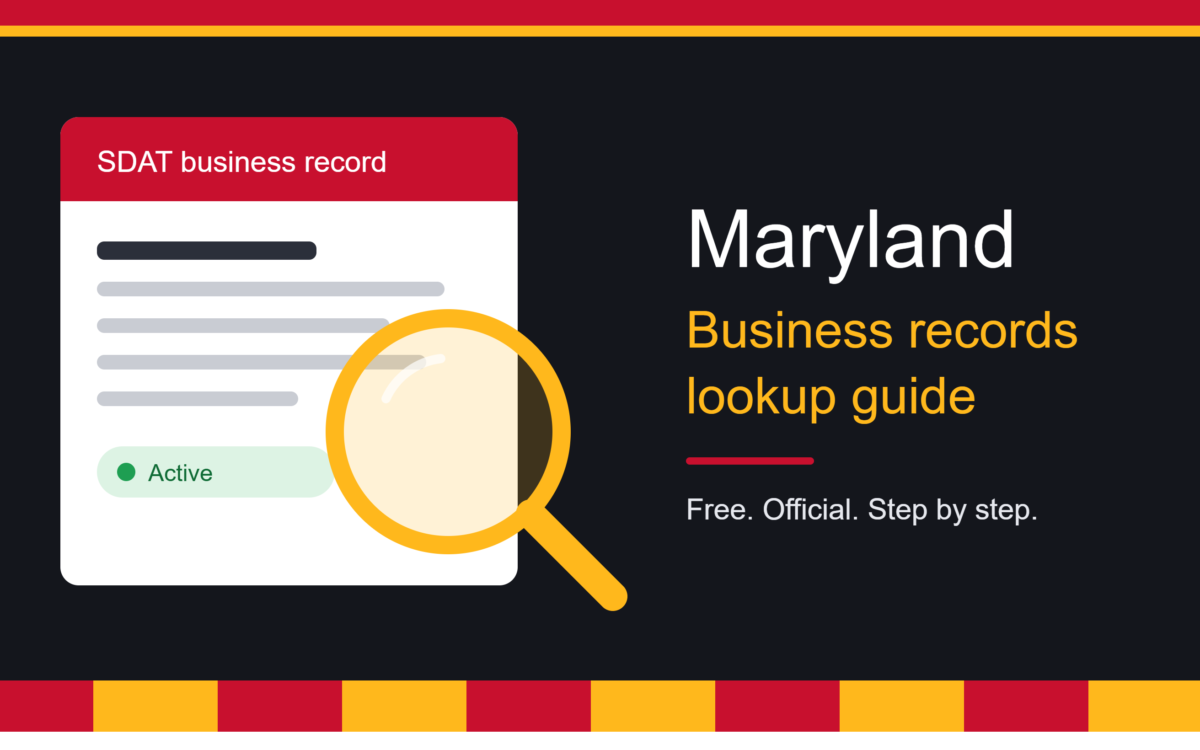
Starting a company, vetting a supplier, or checking whether a business name is already taken all begin with the same question: where do you find reliable official records? A Maryland business entity search is the answer. It is a free public lookup that shows whether a company exists, what type it is, and whether it is in good order with the state. This guide explains how it works, how to read the results, and what the lookup can and cannot tell you. If you also want clear, step-by-step help with running a company, the guides at NY Today are a good place to continue after this article.
Who Keeps Maryland Business Records?
Many people assume the Secretary of State handles company records, as it does in most states. Maryland works differently. The State Department of Assessments and Taxation (SDAT) manages business entity records through the Maryland Business Express portal, not the Secretary of State. The Secretary of State’s office is limited to trademarks, service marks, and charity registrations. signzysignzy
This matters because searching the wrong website wastes time. If you type “Maryland Secretary of State business search” into Google, what you really want is SDAT’s tool. Knowing this small fact saves you from dead ends and from third-party sites that charge for information the state gives away free.
Why People Use the Lookup
The tool serves several practical purposes.
Checking name availability. Before forming an LLC or corporation, you need a name nobody else uses. The lookup shows similar names already on file, so you can avoid a rejected filing.
Verifying a business before you sign. Before signing a contract, accepting a large order, or lending money, you can confirm the company is real and active. Due diligence for partnership, lending, procurement, or compliance usually starts here. signzy
Finding the resident agent. Every Maryland entity must have a resident agent who accepts legal papers. The results show the principal office and contact details such as the resident agent. That is useful if you need to serve a lawsuit or send formal notice. peoples-law
Confirming your own status. Owners should check their own record after filing paperwork. SDAT itself recommends that after filing annual reports and personal property returns, you use the online lookup to verify that your status is Active and in Good Standing. maryland
Research and competitor analysis. Entrepreneurs often look up competitors to see when they were formed and which entity type they chose.
Step-by-Step: How to Run the Search
The process is simple and requires no account.
Step 1: Open the official portal. Go to Maryland Business Express, the state’s official filing and lookup site. No account, login, or fee is needed unless you want to file something or order a document. swyftfilings
Step 2: Choose your search method. The tool accepts a business name, a Department ID, or a federal employer identification number. Use whichever one you have. searchsystems
Step 3: Enter your criteria. For a name search, type the full or partial name. A name search is broad by default and returns partial matches, so common names produce multiple results. zephira
Step 4: Open the right record. Scan the list for the correct name and entity type, then click through to see the details.
Step 5: Save what you need. Note the Department ID. It is the surest way to find the same company again, especially when its name is similar to others.
Which Search Method Should You Use?
Business name. Best when you are exploring or checking availability. Try several variations: with and without “LLC,” with abbreviations, and with different word orders. Because partial matches are returned, shorter queries often work better than long ones.
Department ID. This is the state’s unique number for the entity. If a contract or invoice lists it, searching by ID takes you straight to the exact company with no confusion.
EIN. The federal employer identification number can help when you have tax paperwork but not the exact registered name. Not every record may be reachable this way, so fall back to name or ID if nothing appears.
Entity Types You Will See
Results label each business by type, and the label tells you something about how it operates.
- LLC (Limited Liability Company). Popular with small businesses because it separates personal and business liability while keeping taxes simple.
- Corporation. A more formal structure with shareholders, directors, and stricter record-keeping.
- Partnership. Two or more owners sharing profits and responsibility.
- Nonprofit or other special forms. Organizations formed for charitable, educational, or community purposes.
Knowing the type helps you decide how to deal with the business. A contract with a corporation, for example, is signed differently than one with a general partnership.
What the Results Show
Once you open a record, you will typically see:
- The official registered name and entity type
- The Department ID
- The principal office address
- The resident agent’s name and address
- The date the entity was formed
- Its current status
- A filing history, which is a list of filings submitted by the business entity. entitycheck
The information can vary by entity and filing history, so do not be alarmed if some fields are blank on older or simpler records.
Understanding Status: Active vs. Good Standing
This is the part people most often misread. A record might show “Active,” but that does not automatically mean everything is fine. Active is not the same as good standing. Good standing is a separate SDAT determination, and a record can show one without the other. swyftfilings
In practice:
- Active means the entity currently exists and has not been dissolved.
- Good standing means it is current on required filings and obligations.
- Forfeited or Dissolved signals a serious problem. The business may have lost its legal right to operate until it is reinstated.
If you are about to do business with a company, “Active” alone is a decent sign, but “Active (Good Standing)” is what you really want to see.
Annual Reports and Costs
Maryland requires most entities to file an annual report with a personal property return, and owners should know the cost. One recent breakdown notes that Maryland charges $300 a year even after SDAT proposed eliminating the fee in 2022. Missing this filing is one of the most common reasons a business slips out of good standing, so put the deadline on your calendar and file early. zephira
Getting a Certificate of Status
Sometimes a screen is not enough. Banks, landlords, and licensing bodies often ask for formal proof. SDAT provides an official Certificate of Status, also described as a Certificate of Good Standing, through Maryland Business Express. You will need to log in and pay a small fee to order it, but it is the document most institutions accept. enformion
Reserving a Business Name
Once your lookup shows a name is free, you can protect it while you prepare your formation papers. You can reserve an available name for 30 days with a Name Reservation through Maryland Business Express. The fee is $25, and reservations can be renewed unlimited times. This helps if you are waiting on funding, a partner’s signature, or a domain purchase. signzy
What the Lookup Does Not Tell You
The state’s database is a strong starting point, but it has limits. It is a starting point for Maryland business records and should not be treated as a complete company report. It will not tell you: enformion
- Whether the company is financially healthy
- Whether it has lawsuits, liens, or judgments
- Whether it holds the professional licenses its work requires
- Who really owns or controls it in every case
It is also different from other searches. An entity search is different from a license search, trade name registration, trademark search, or a Maryland Business Express account login. For a trade name, trademark, or license, you need to check those systems separately. upcounsel
Also remember that a clear name result is not an approval. SDAT makes the final call when it reviews your filing. A name that looks available today could still be refused if it is too similar to another. swyftfilings
The state record is only one piece of the puzzle. For wider guidance on starting a company, hiring legal help, and writing a solid plan, browse the practical business guides on NY Today.
Common Mistakes to Avoid
- Trusting the first result. Similar names are everywhere. Always confirm the Department ID and address.
- Confusing “Active” with “Good Standing.” They are not the same, as explained above.
- Ignoring the filing history. Long gaps can point to neglect or trouble.
- Relying on old screenshots. Statuses change, so re-check before any major transaction.
- Using unofficial sites. Third-party pages may repackage state data, but the official portal is the only authoritative source.
Practical Tips for Better Results
- Search several spellings. “Smith & Sons,” “Smith and Sons,” and “Smith Sons” may all be separate records.
- Remove suffixes. Searching “Chesapeake Roofing” will catch more results than “Chesapeake Roofing LLC.”
- Match by more than the name. Confirm the entity name and Department ID, then cross-reference addresses or related identifiers to avoid confusing two similarly named businesses. enformion
- Record the date. Note when you checked, so you know how current your information is.
Frequently Asked Questions
Is the search free? Yes. Basic lookups cost nothing. Fees apply only when you file documents or order certified copies.
Do I need an account? No. You only need to log in to file or order documents.
Can I find sole proprietors? Only if they registered a trade name or another filing with the state. A person operating under their own legal name without registering anything may not appear.
How current is the data? Records update as SDAT processes filings. Recently submitted paperwork can take some time to appear, so a brand-new company might not show up immediately.
What if I cannot find the company? It may be registered in another state, operating under a trade name, or using a slightly different legal name. Try variations, then ask the business for its Department ID.
Conclusion
Whether you are launching a startup in Baltimore, hiring a contractor in Annapolis, or tidying up your own compliance, a Maryland business entity search gives you fast, free, and reliable answers straight from the state. Look up the name, confirm the entity type, check the status, and note the Department ID. Then remember the limits: the record proves a business exists and is in good order with SDAT, but it does not replace deeper checks on licenses, finances, or legal history. Used wisely, it is one of the simplest ways to protect your business and your money. For more plain-English advice on business, technology, and AI, visit NY Today and read the latest guides.